About Purchase History
Below is the steps to check the purchase history:
A. Click "Membership" on the UNIQLO APP
B. Click "Purchase History" and you can check both online and store purchase also the product purchased from both stores.
For online and store purchase on March 2026 ONWARDS, you can access: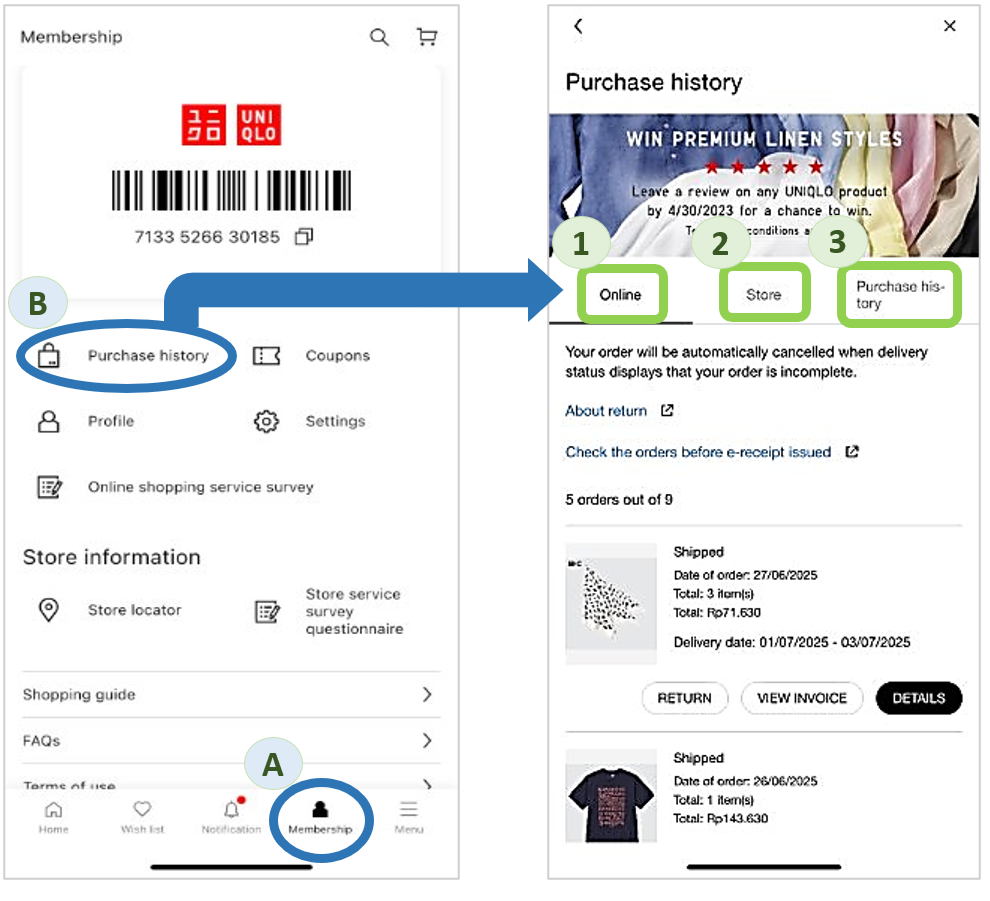
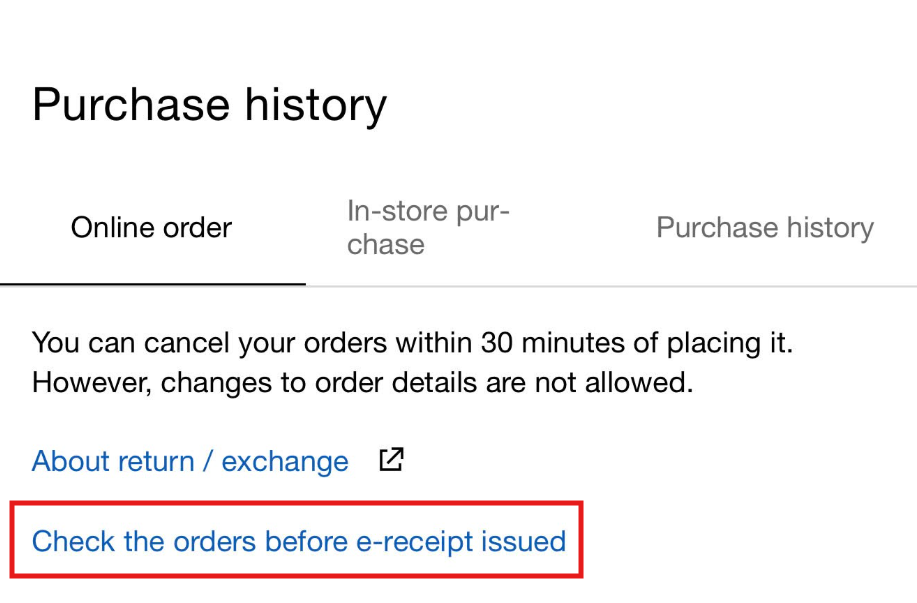
For online and store purchase BEFORE March 2026, you can access it by clicking "Check orders before e-receipt issued".
A. Click "Membership" on the UNIQLO APP
B. Click "Purchase History" and you can check both online and store purchase also the product purchased from both stores.
For online and store purchase on March 2026 ONWARDS, you can access:
- Online: showing the order list and details of the online orders. You can also check the order status also the invoice and return form on this page.
- Store: showing the transaction at stores [TO BE UPDATED].
- Purchase history: showing the list of products that you have purchase at online and stores. You can also write product reviews through this page.
For online and store purchase BEFORE March 2026, you can access it by clicking "Check orders before e-receipt issued".
Contact UNIQLO Vietnam
 CHAT SUPPORT
* Live Chat is available on Mon - Sun, 9am - 6pm
(Including Public Holidays, Closed: First Day of Lunar New Year)
Email
Our Customer Center team will get back to you within the next 24 hours submitted request.
Hotline