About Item Code / Product ID
Customer can easily locate the product using their Item Code/ Product ID (6-digit) in UNIQLO APP/ website. Simply click the search button and enter the Product ID in the search engine.
The Product ID can be found on the Product Tag or on the product page in our website. Please refer to the guide below for detailed instructions on how to check.
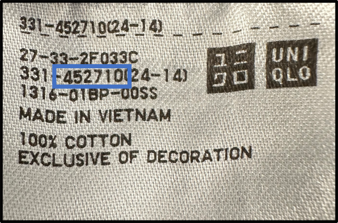
(Example: Price Tag)
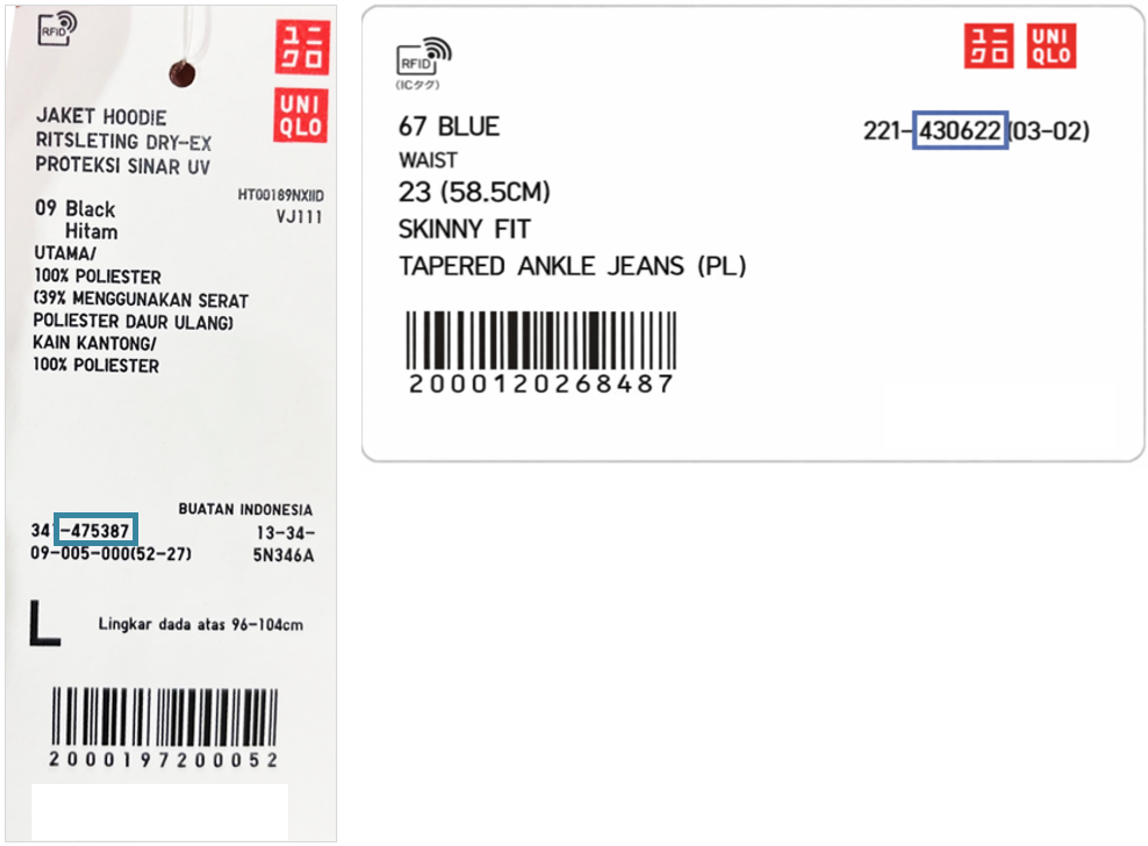
(Example: Product Tag)
To access Purchase History page for both UNIQLO APP/ website, you must first login and go to Membership > Purchase History:
The Product ID can be found on the Product Tag or on the product page in our website. Please refer to the guide below for detailed instructions on how to check.
How to Check from Product Tag
(Example: Price Tag)
(Example: Product Tag)
How to Check from Product Page
(Example: UNIQLO APP)
(Example: Website)
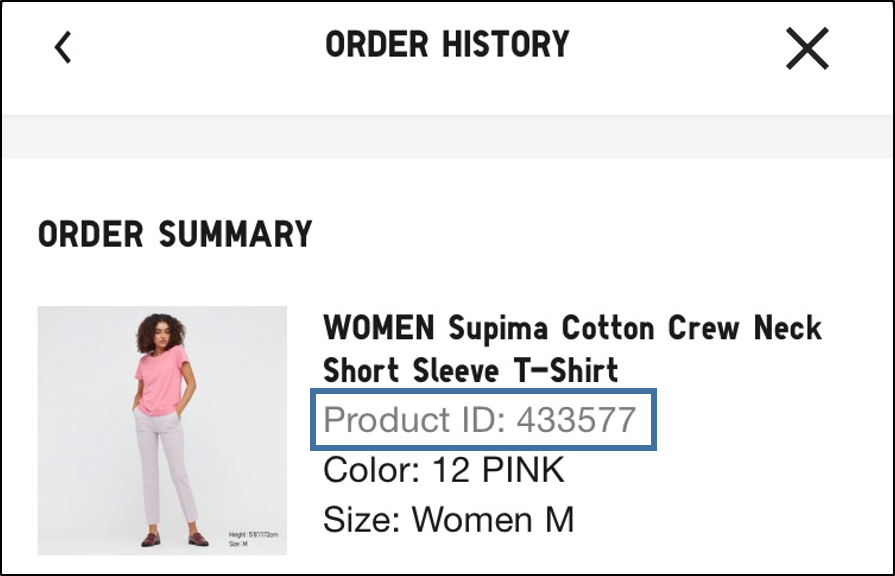
How to Check from Purchase History
To access Purchase History page for both UNIQLO APP/ website, you must first login and go to Membership > Purchase History:
Contact UNIQLO Vietnam
 CHAT SUPPORT
* Live Chat is available on Mon - Sun, 9am - 6pm
(Including Public Holidays, Closed: First Day of Lunar New Year)
Email
Our Customer Center team will get back to you within the next 24 hours submitted request.
Hotline